
Wydawca: Zenva Academy
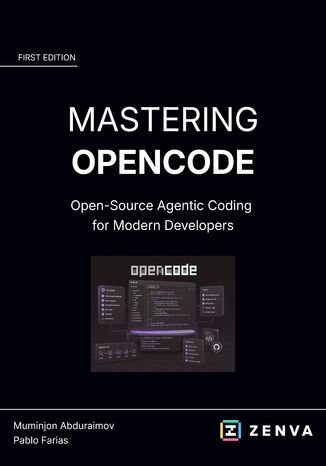
Mastering OpenCode. Open-Source Agentic Coding for Modern Developers
Zenva Academy
Open-source agentic coding offers flexibility, but useful results depend on accurate context and deliberate control. The opening material introduces OpenCode across terminal, editor, and desktop environments, then connects cloud, built-in, or local model providers to a fresh installation.Readers explore an unfamiliar codebase with /init, AGENTS.md, and fuzzy file search before separating analysis from modification through Build and Plan agents. Permissions in opencode.json establish safer boundaries, while focused instructions keep outputs grounded in the project. A coding challenge brings planning and implementation together in one practical workflow.By the end of this guide, readers can steer OpenCode without surrendering judgment or privacy. Starter assets and completed project files support continued work across different models, repositories, and offline development settings.
Zenva Academy
Modern AI applications rely on far more than a model endpoint. They need secure deployment, resilient data layers, event-driven integration, careful configuration, and clear operational insight. This guide frames those demands through the Microsoft Azure services measured by AI-200, helping readers connect exam objectives with the decisions cloud developers face when building production-ready solutions.The journey starts with container images, ACR tasks, App Service, Container Apps, KEDA, and AKS, then moves into Cosmos DB, PostgreSQL, pgvector, Redis, and retrieval-augmented generation patterns. It continues through Service Bus, Event Grid, Azure Functions, Key Vault, App Configuration, OpenTelemetry, Azure Monitor, Application Insights, and KQL, with scenarios, reviews, and exam tips that clarify how the pieces work together.Readers finish with a practical view of how to choose services, secure identities and secrets, manage scale, design vector search, handle messages, deploy serverless APIs, and investigate logs and traces. By the end of this book, they can approach AI-200 questions with stronger judgment and apply the same reasoning to Azure development work.
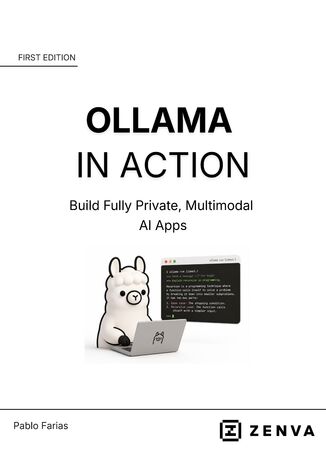
Ollama in Action. Build Fully Private, Multimodal Al Apps
Zenva Academy
Local AI can improve privacy and reduce reliance on cloud inference, but hardware and performance constraints require informed choices. The opening material explains these trade-offs and guides installation on macOS, Windows, or WSL, followed by the commands used to pull, run, list, switch, and remove models.The practical journey connects Ollama to Python and moves beyond simple prompts. Readers send images to a multimodal model, build a chatbot that retains conversation history, and create an application that scans image folders and records structured catalog details in CSV format. Model selection remains tied to available hardware and expected speed.By the end of this guide, readers can manage a local model library and build useful private AI applications. Complete project files make it easier to adapt the chatbot and multimodal workflow to personal experiments or new Python projects.
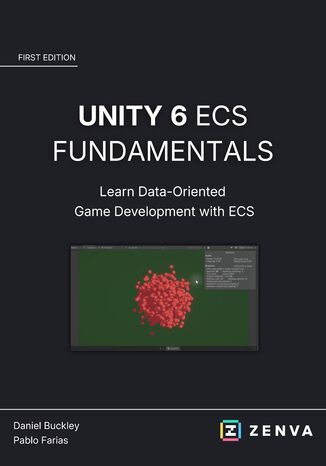
Unity 6 ECS Fundamentals. Learn Data-Oriented Game Development with ECS
Zenva Academy
Data-oriented design changes how gameplay data and behavior are organized when projects must process many objects efficiently. The opening material explains ECS foundations and guides readers through package installation, Play Mode configuration, entities, custom components, authoring scripts, and bakers in Unity 6.3 LTS.The next stage turns those building blocks into working systems. Readers move entities with the Unity Job System, enable Burst compilation, and create a spawner that scales to thousands of entities. Unity's Entity windows provide visibility into the simulation, connecting high-performance execution with practical inspection and debugging.By the end of this guide, readers can build and control an ECS-based gameplay flow, including a data-oriented player controller. Complete project files and C# source code support further experiments with scalable systems and performance-focused Unity development.
Unity 6 Game Optimization. Improve Performance and Create Smoother Gameplay
Zenva Academy
Reliable optimization starts with evidence rather than guesswork. The opening material shows how common Unity problems affect frame rate, then establishes a baseline and uses the Profiler and Frame Debugger to reveal where processing and rendering time are being spent in Unity 6.3 LTS.Readers then address the bottlenecks that matter. Static batching reduces draw calls, lighting work compares real-time and baked options, and Level of Detail and occlusion culling prevent unnecessary rendering. Every change is tied back to measurement so improvements can be confirmed instead of assumed.By the end of this guide, readers can move from diagnosis through implementation and validation in a repeatable optimization workflow. A hands-on challenge, complete Unity project files, and full C# source code provide a practical foundation for improving performance in their own games.